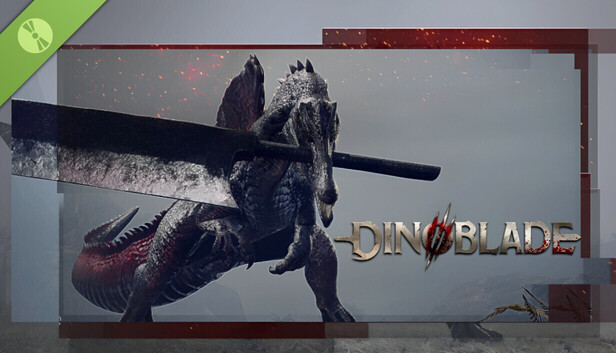
Can My PC Run
Dinoblade?
Enter your GPU, CPU, RAM, and OS below to instantly check if your PC meets Dinoblade's system requirements — and see exactly what to upgrade if it doesn't.
Mobile GPUs throttle up to 50% on battery and lose FPS with lower TGP wattages. Test your exact laptop model, mobile GPU, and cooling pad requirements.
📋 Official PC specifications published for Dinoblade
Validated against official developer specifications and real-world benchmark metrics.
| Component | Developer Minimum | Developer Recommended | Our Performance Analysis |
|---|---|---|---|
| 🎮 GPU | NVIDIA GeForce GTX 1050 (4GB) / AMD Radeon RX 560 | NVIDIA GeForce GTX 1660 Super / AMD Radeon RX 5600 XT | 8GB+ VRAM recommended for 1440p stutter-free textures |
| 🧠 CPU | Intel Core i5-7500 / AMD Ryzen 5 1600 | Intel Core i7-9700K / AMD Ryzen 5 3600 | 6 Cores / 12 Threads recommended for smooth 1% low FPS |
| 💾 RAM | 4 GB RAM | 16 GB RAM | 16GB–32GB dual-channel avoids Windows pagefile swapping |
| 💿 Storage | 13 GB free_space | 13 GB SSD | Fast NVMe SSD eliminates shader compilation hitches |
| 🎯 Target Experience | Low Settings 720p 30 FPS | High Settings 1080p 60 FPS | 1440p / 4K Max Settings |
🔍 Check Your PC Specs
Select your hardware below — results appear instantly, no sign-up required.
🔍 What Is Limiting Your PC?
Hardware component impact analysis for Dinoblade at your target settings:
🎯 Target Resolution & Estimated FPS
Expected framerate and visual performance across key resolutions:
⚙️ Recommended Graphics Settings for Your Rig
Tailored in-game presets for maximum smoothness with minimal visual compromise:
⚡ ⚡ Actionable FPS Optimization Guide
To increase FPS when GPU-limited: Lower Volumetric Fog, Ambient Occlusion, Shadow Resolution, and enable DLSS/FSR Balanced mode.
☁️ Play Dinoblade Instantly via Cloud Gaming
Low hardware specs? Play Dinoblade at max settings with 60+ FPS on any PC or laptop with Boosteroid cloud streaming.
Compare Best Upgrades & Live Deals for Dinoblade
Budget 1080p Baseline
Great 1080p 60 FPS performance without overspending.
High FPS 1440p Sweet-Spot
Flawless 1440p ultra settings with high refresh rates.
Enthusiast 4K Flagship
Zero compromises at max settings, DLSS 3.5 / FSR 3, and Path Tracing.
🖥️ Looking to Build or Buy a PC for Dinoblade?
See recommended desktops and laptops at every budget tier — with Amazon links for all components.
🎮 Similar Games to Check
Check if your PC can run these Action RPG / Soulslike games too
❓ Frequently Asked Questions
Common questions about running Dinoblade on PC